
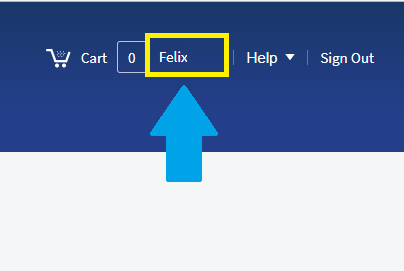
You can view/download/print past orders by accessing your order history. Click on your user profile name in the upper left hand corner of your screen. This is also where you can reprint receipts.
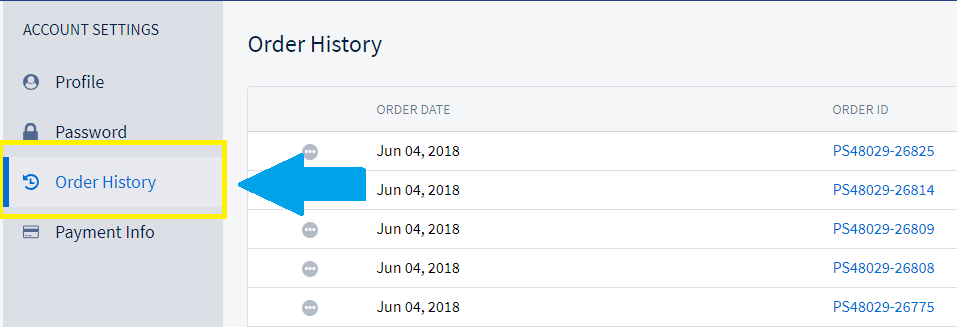
Under Account Settings select Order History. Here you will see all of your past orders.
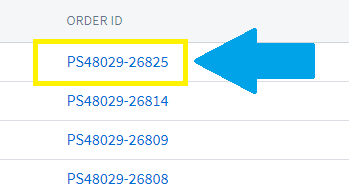
Click on the order you wish to download/print.
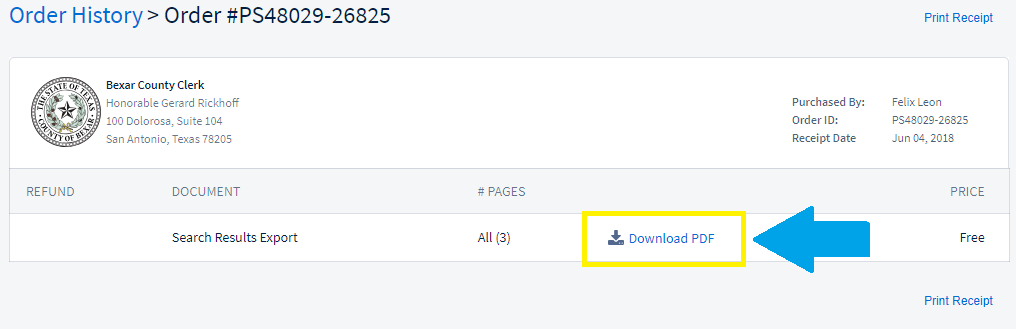
You can Download a PDF and reprint a Receipt.
Comments
0 comments
Article is closed for comments.